Airbnb has updated its service fee structure to simplify pricing for both hosts and guests, effective September 15, 2025. This change impacts how prices are displayed to guests and how payouts are calculated for hosts.
Starting September 15, 2026 Airbnb will:
- Combine both fees host and guest service fee into a single 15.5% host-only service fee
- Remove the separate guest service fee
- Display a single all-inclusive price to guests
Airbnb is introducing this update to simplify pricing for hosts, and provide more clearer and transparent pricing to guestsImpact on Your Pricing & Payouts:
With this update, hosts are now responsible for the full 15.5% service fee.
If no pricing changes are made, your Airbnb payouts will decrease. To maintain the same earnings, you will need to adjust your listing prices accordingly.
How to update pricing in innRoad:
Step 1:
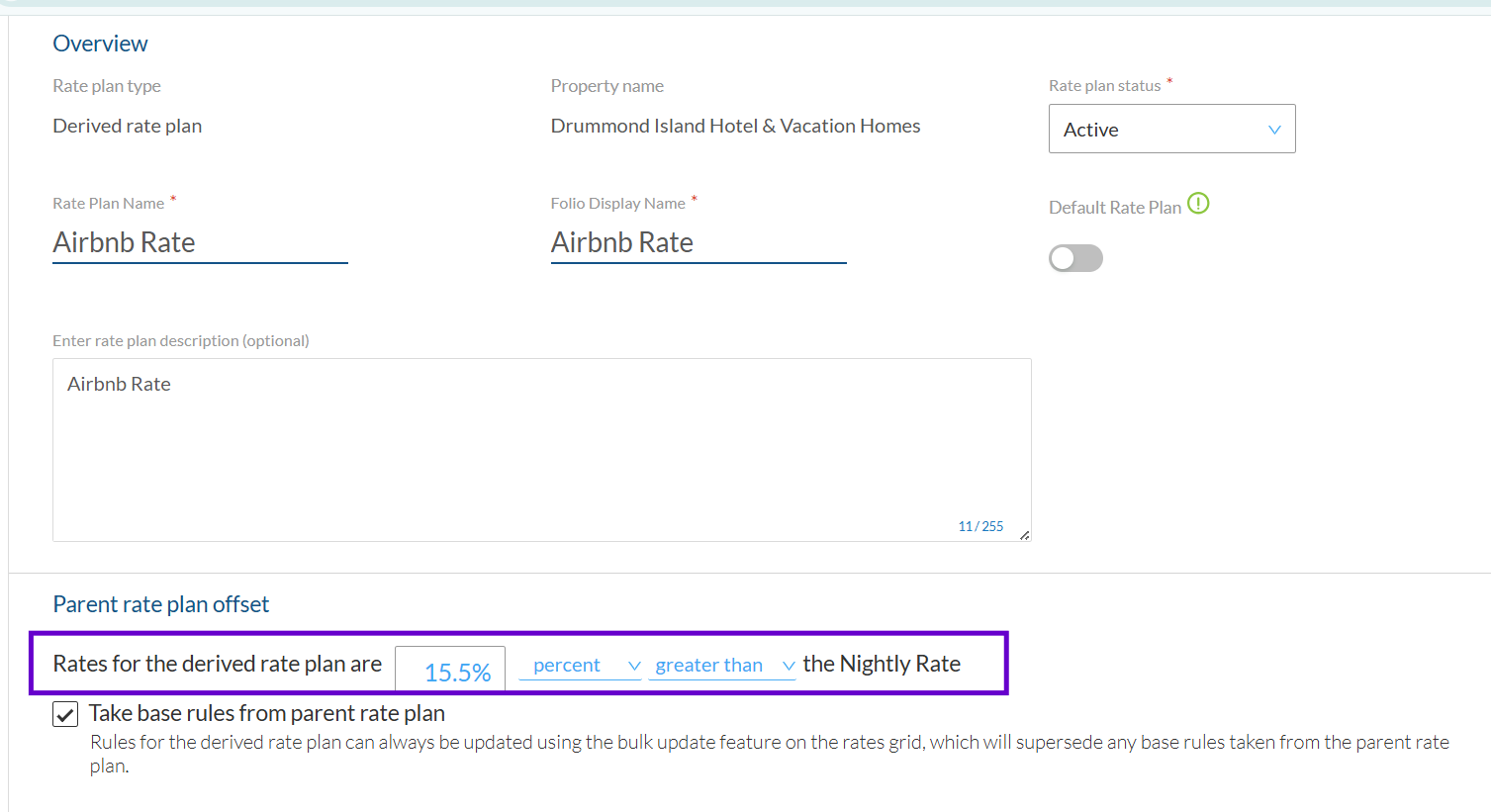
You can increase the Airbnb pricing of Airbnb Rate to handle the increased Airbnb Service fee via Inventory > Rates Grid:
Step 2:
You can show the Airbnb Host Fee directly on the Folio to understand the total amount deducted from payouts.
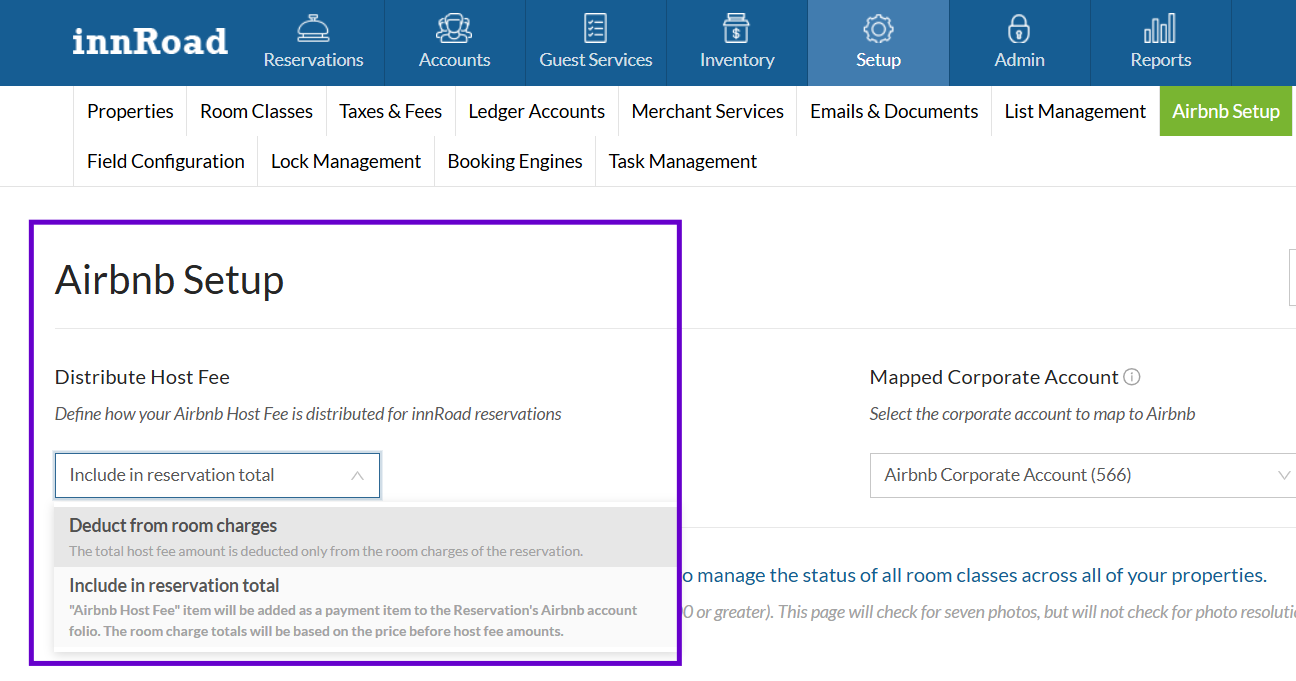
In Setup > Airbnb Setup, we have provided 2 options:
- Deduct from Total Room Charges: innRoad will create reservation folio items and deduct Airbnb Host Fees from the room charge amounts.
- Include in Reservation Total: InnRoad will add Airbnb host fee as a payment item to the reservation. The room charge totals will be based on price before host fee amounts.
For more assistance, please contact innRoad SupportWas this article helpful?
That’s Great!
Thank you for your feedback
Sorry! We couldn't be helpful
Thank you for your feedback
Feedback sent
We appreciate your effort and will try to fix the article