Deposit Policies set the amount collected when the guest books the reservation.
Collecting a payment when guests book helps you secure all or some of the booking revenue, in case the guest cancels with a short notice or doesn't show up. However, it may turn off some guests who want to book in advance without commitment.
Thus, to give your guests enough options and increase conversion options, you could set up the following options:
- Rate Plan without a Deposit Policy, but with a higher price
- Rate Plan with a full Deposit Policy with a lower price.
You can also create Deposit Policies without an on-booking payment that trigger payments on a schedule before check-in, to increase flexibility for the guest, if you use innRoad Payments.
For OTA Reservations, the Deposit amount is controlled by policies on the OTA.
How to create a Deposit Policy
- Go to Inventory > Policies.
- Under Deposit Policies, click Create New.
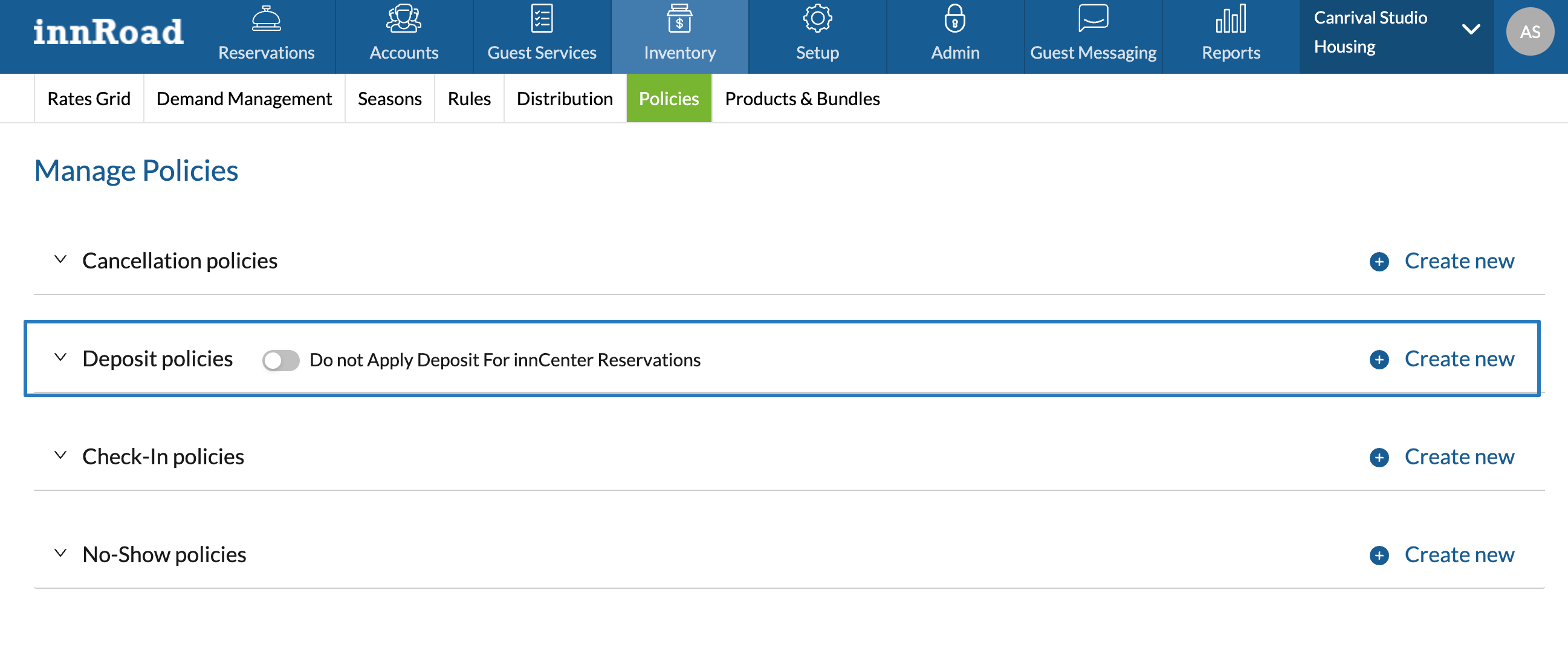
- Enter a Deposit Policy Name.
- Select Pricing Type from the dropdown:
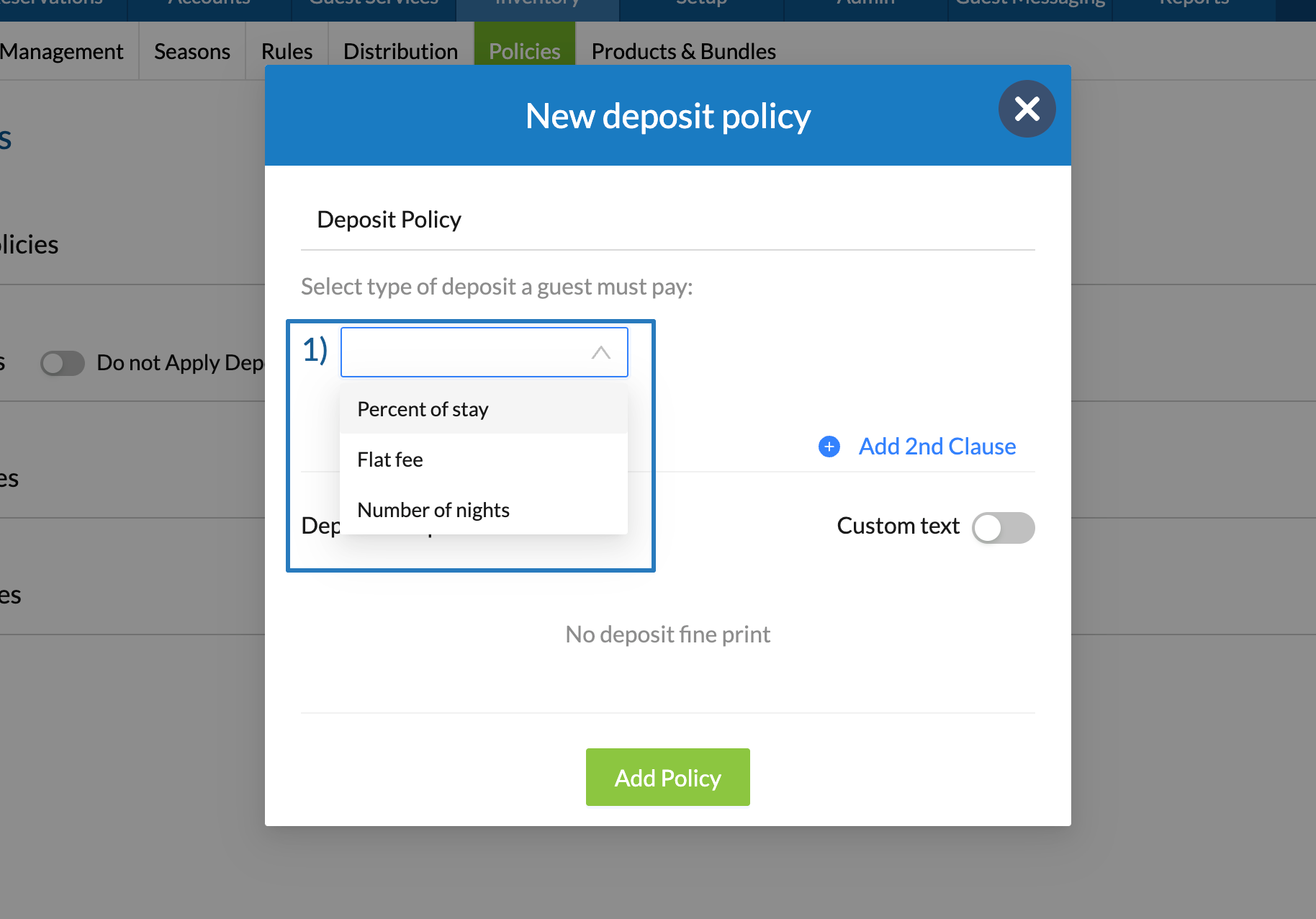
- Percent of stay calculates the amount based on total reservation charges or room charges.
- Flat fee applies a fixed deposit amount, regardless of reservation total.
- Number of Nights uses the first N nights of the reservation to calculate the deposit due.
- Enter the amount:
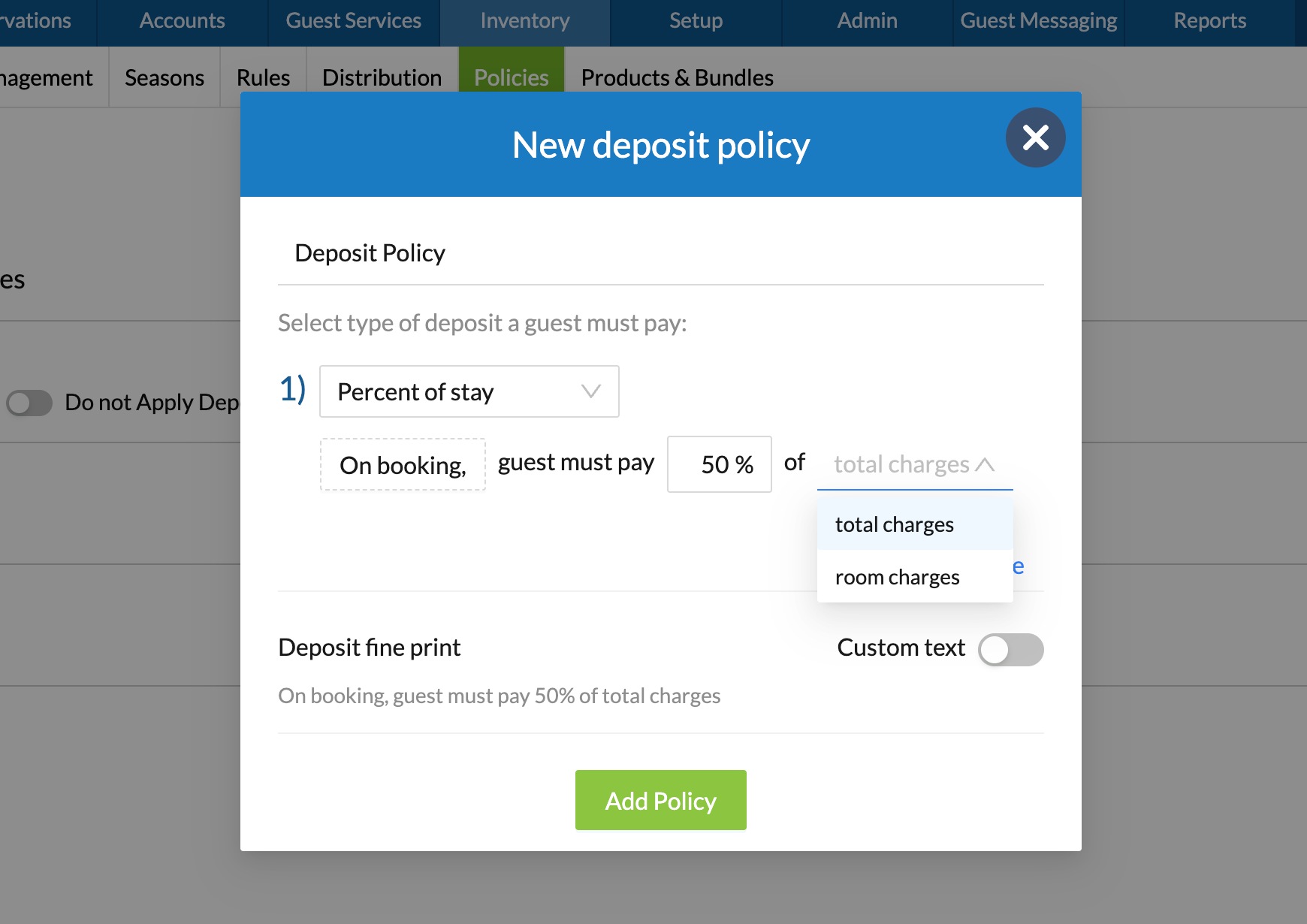
- Enable Custom Text to edit the default Deposit Policy wording.
- Click Add Policy to save.
If you want to create a Deposit Policy with scheduled charges, click here.
When are deposit payments collected
Deposit Payments are collected when the reservation is booked through direct channels, for example:
- Guests book on the innRoad Booking Engine.
- You create a New Reservation for the guest.
When guests book via an OTA, like Expedia or Booking.com, the Deposit Policy is set up on the OTA:
- If guests book an OTA Collect reservation, the OTA collects payment and provides a Virtual Card with the reservation balance after commission and any withheld taxes.
- If guests book a Hotel Collect reservation, you are responsible to collect payment.
Was this article helpful?
That’s Great!
Thank you for your feedback
Sorry! We couldn't be helpful
Thank you for your feedback
Feedback sent
We appreciate your effort and will try to fix the article