Check-in policies set the amount to capture or hold when the guest checks-in, or completes Pre Check-in. You can choose to capture the amount (charge immediately) or authorize it as a temporary hold to verify available funds.
This protects your revenue by confirming the card on file has sufficient funds to cover the booking, helping reduce payment failures and reservation risk.
How to create a Check-in Policy:
- Go to Inventory > Policies.
- Under Check-In Policy, click Create New.
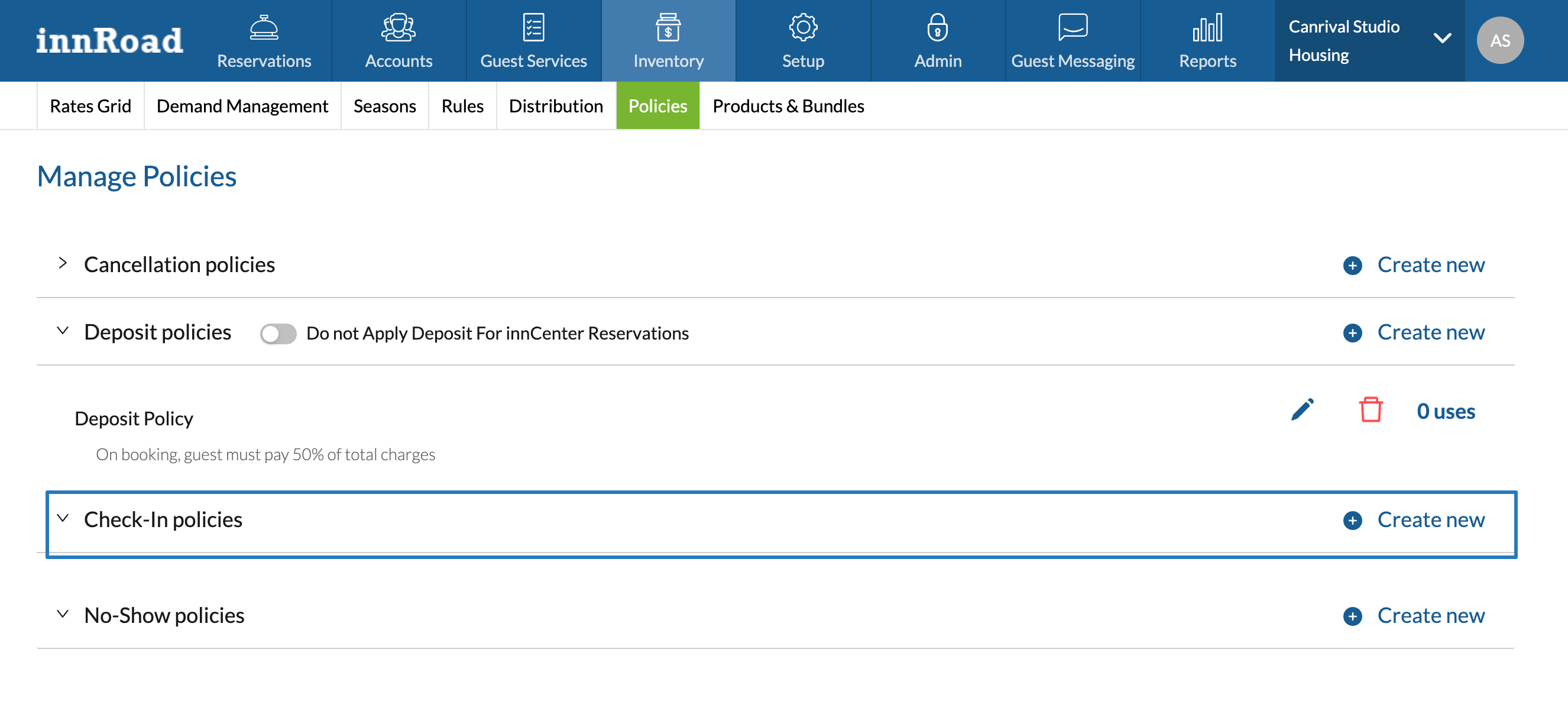
- Set a Check-in Policy name.
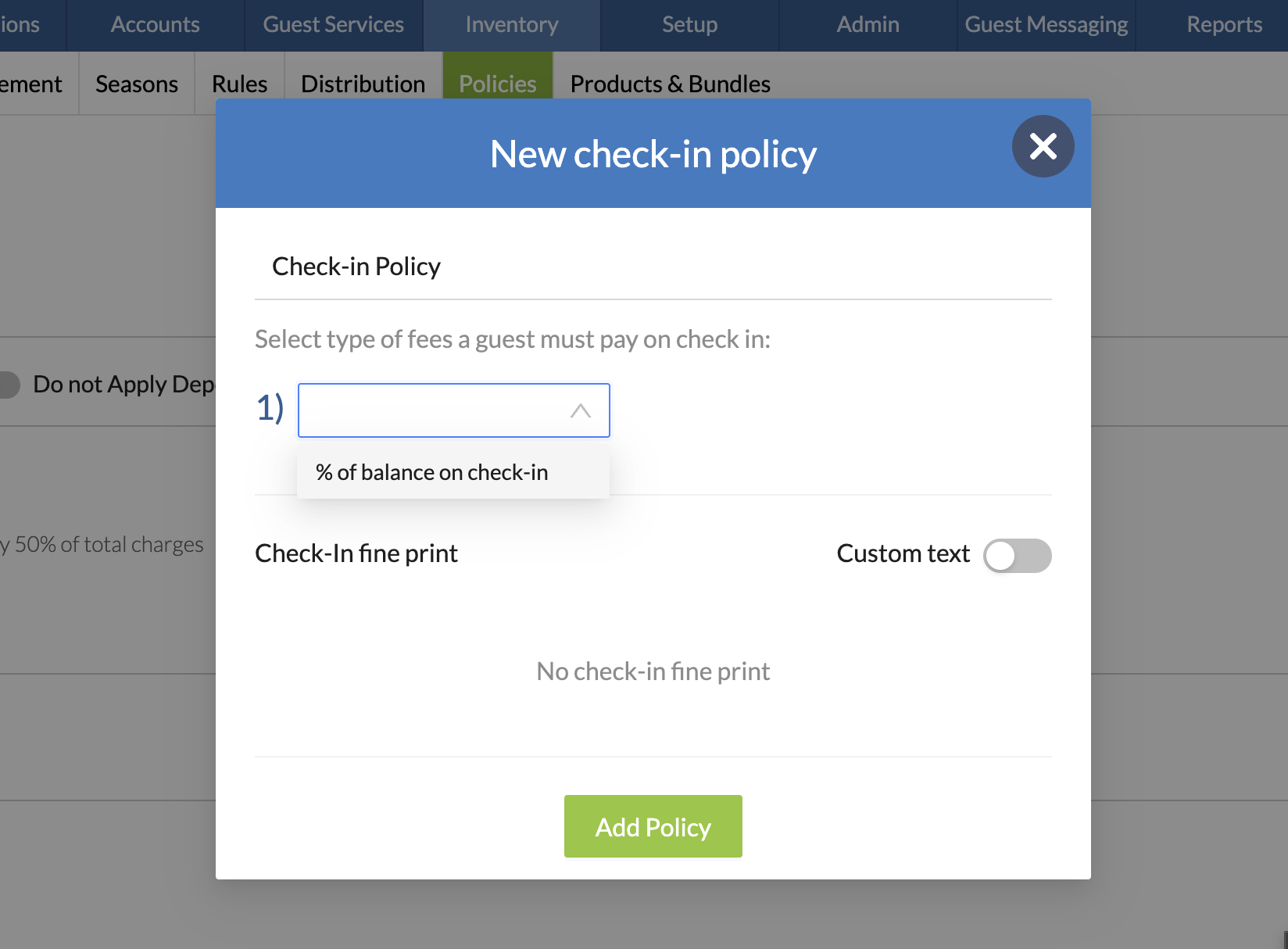
- Select "% of balance on check-in" as the type of fee:
- Enter the fee amount.
- Select whether to Capture or Authorize (Hold) the fee amount:
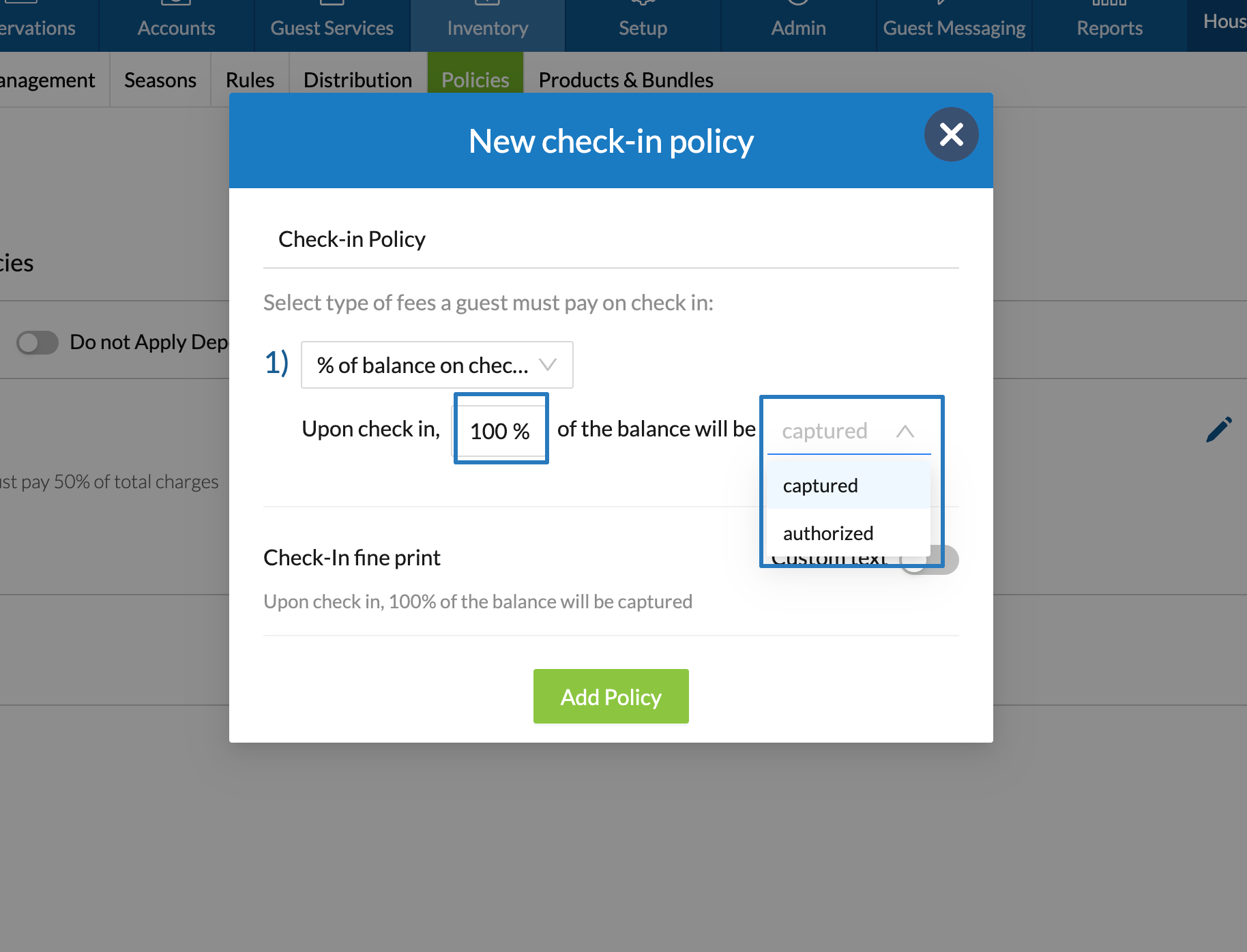
- Optionally, enable Custom Text to edit the auto-generated wording.
- Click Add Policy to save
Was this article helpful?
That’s Great!
Thank you for your feedback
Sorry! We couldn't be helpful
Thank you for your feedback
Feedback sent
We appreciate your effort and will try to fix the article