You can sell Products automatically by making them available online.
Then, guests can purchase them when:
- Booking the stay
- via the innRoad Booking Engine
- via the Unit Owner Portal
- During Online Check-invia the Guest Portal
This is a fantastic way to increase revenue per booking while saving time and making your property stand out compared to competition.
Why make Products available Online
- Increase Revenue per Booking: Online availability encourages guests to purchase additional services and upsells, boosting total revenue.
- Save Staff Time: Reduces manual handling of add-ons, allowing your team to focus on guest experience instead of processing charges.
- Enhance Guest Convenience: Guests can customize their stay at their own pace, making their experience smoother and more enjoyable.
- Stand Out from the Competition: Offering online add-ons is a guest-focused service that differentiates your property from the rest.
Making Products available online transforms them from simple extras into guest-friendly offerings that improve both your property’s profitability and the guest experience.
How to sell a Product Online
You can sell Products online, for new or existing products.
Here's how:
- Create a new Product or edit an existing one.
- Choose whether to sell the Product online through:
- Booking Engine
- Guest Portal
- Unit Owner Portal
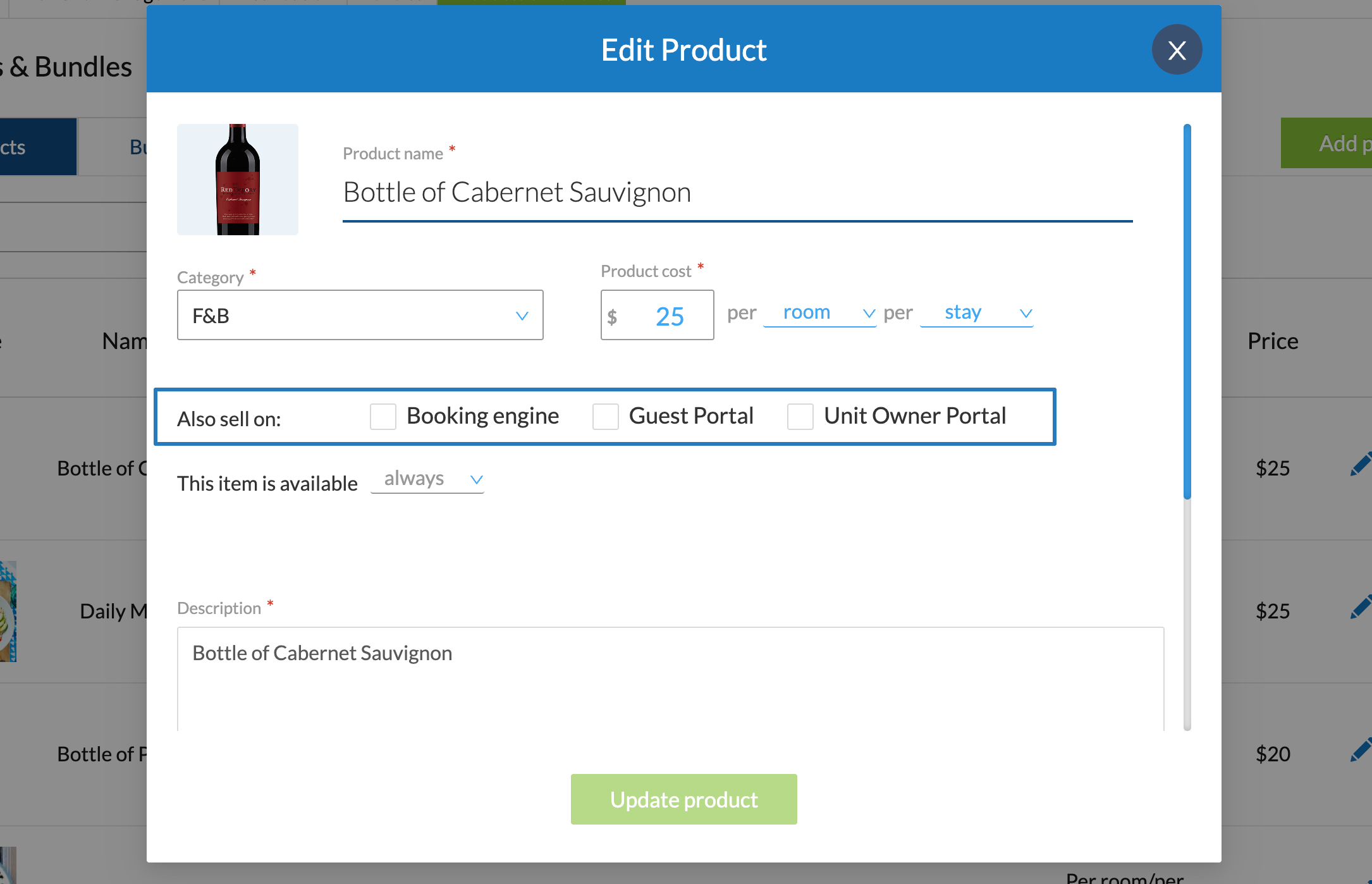
- Choose when the product is available:
- Always
- Specific dates
- Set whether the Product is available for all room classes or only specific room classes.
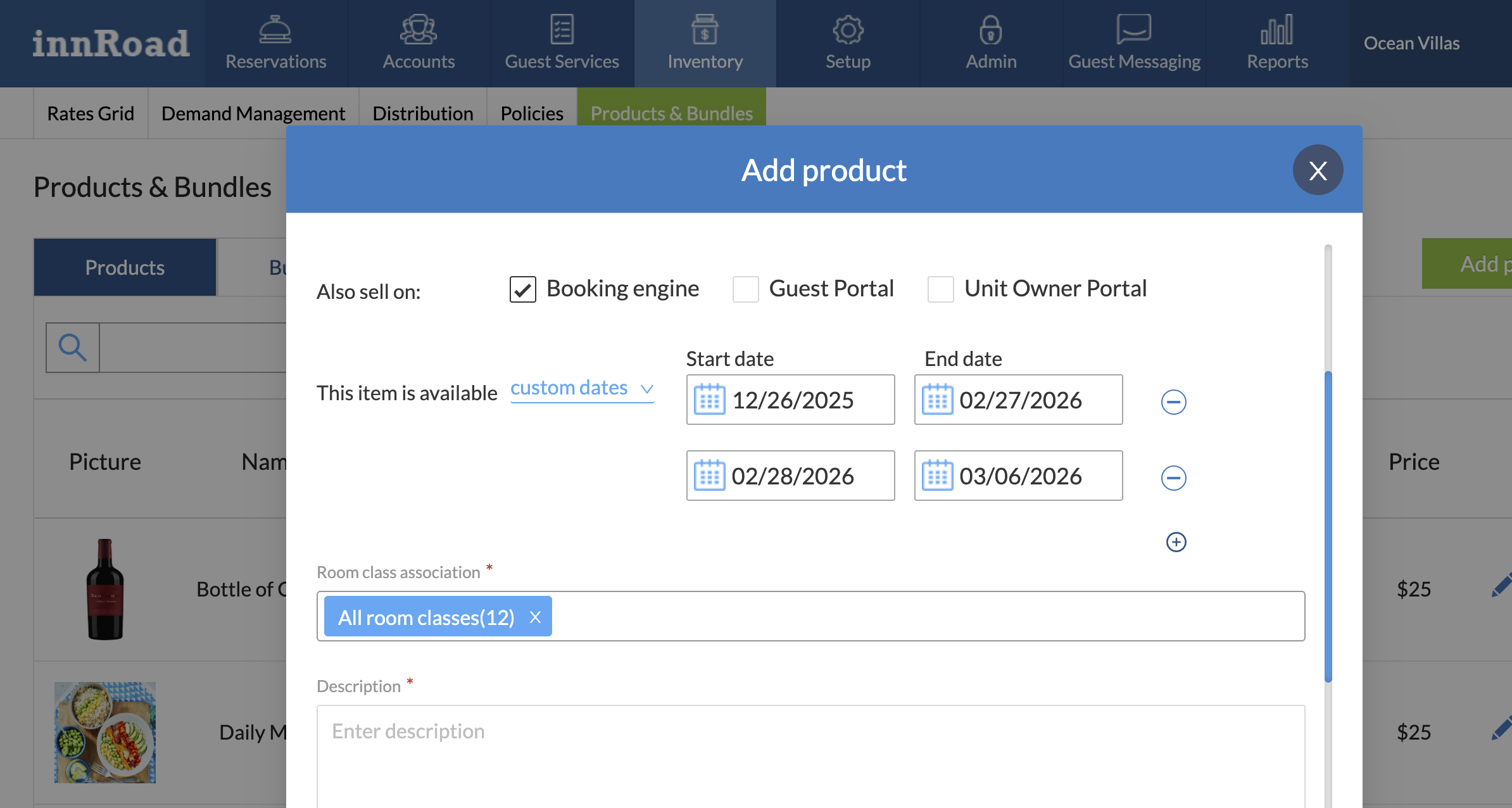
- Add a Description to display to guests online.
- Optionally, but highly recommended, add a photo to make the purchase more visual.
How to sell a Bundle Online
You can sell Bundles online as well.
Here's how:
- Create a new Bundle or edit an existing Bundle.
- Choose whether to sell the Bundle online through:
- Booking Engine
- Guest Portal
- Unit Owner Portal
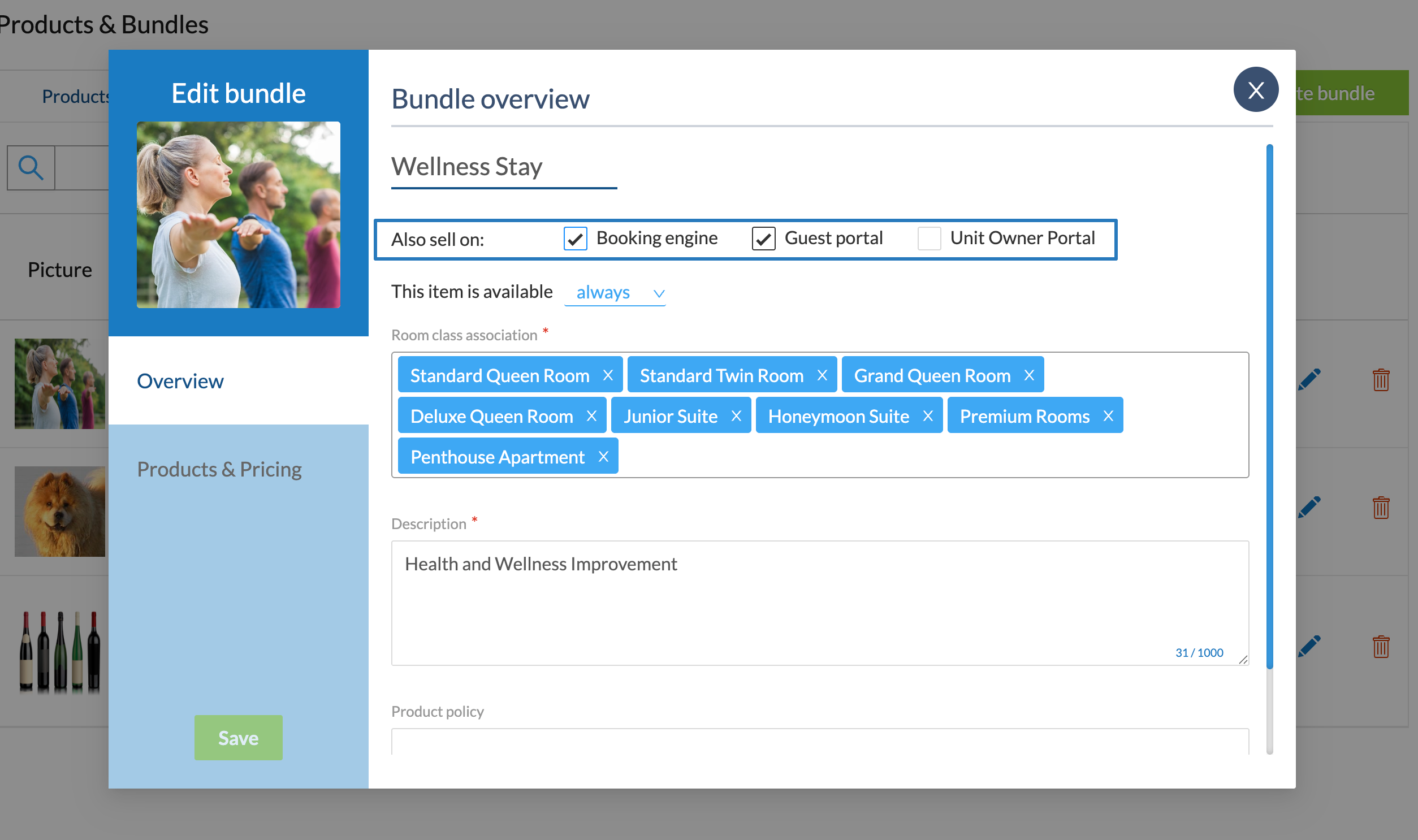
- Choose when the Bundle is available:
- Always
- Specific dates
- Set whether the Bundle is available for all room classes or only specific room classes.
- Add a Description to display to guests online.
- Optionally, but highly recommended, add a photo to make the purchase more visual.
Was this article helpful?
That’s Great!
Thank you for your feedback
Sorry! We couldn't be helpful
Thank you for your feedback
Feedback sent
We appreciate your effort and will try to fix the article