No-Show Policies set the fee to charge when a guest doesn't arrive on the scheduled check-in date without cancelling the reservation. The fee can be based on a percentage of the stay, a flat fixed amount, or the first N nights of the booking.
This helps protect property revenue, discourage unreported no-shows, and automate penalty collection when the reservation status changes to No Show.
How to create a No-Show Policy:
- Go to Inventory > Rates Grid
- Under No-Show Policies, click Create New.
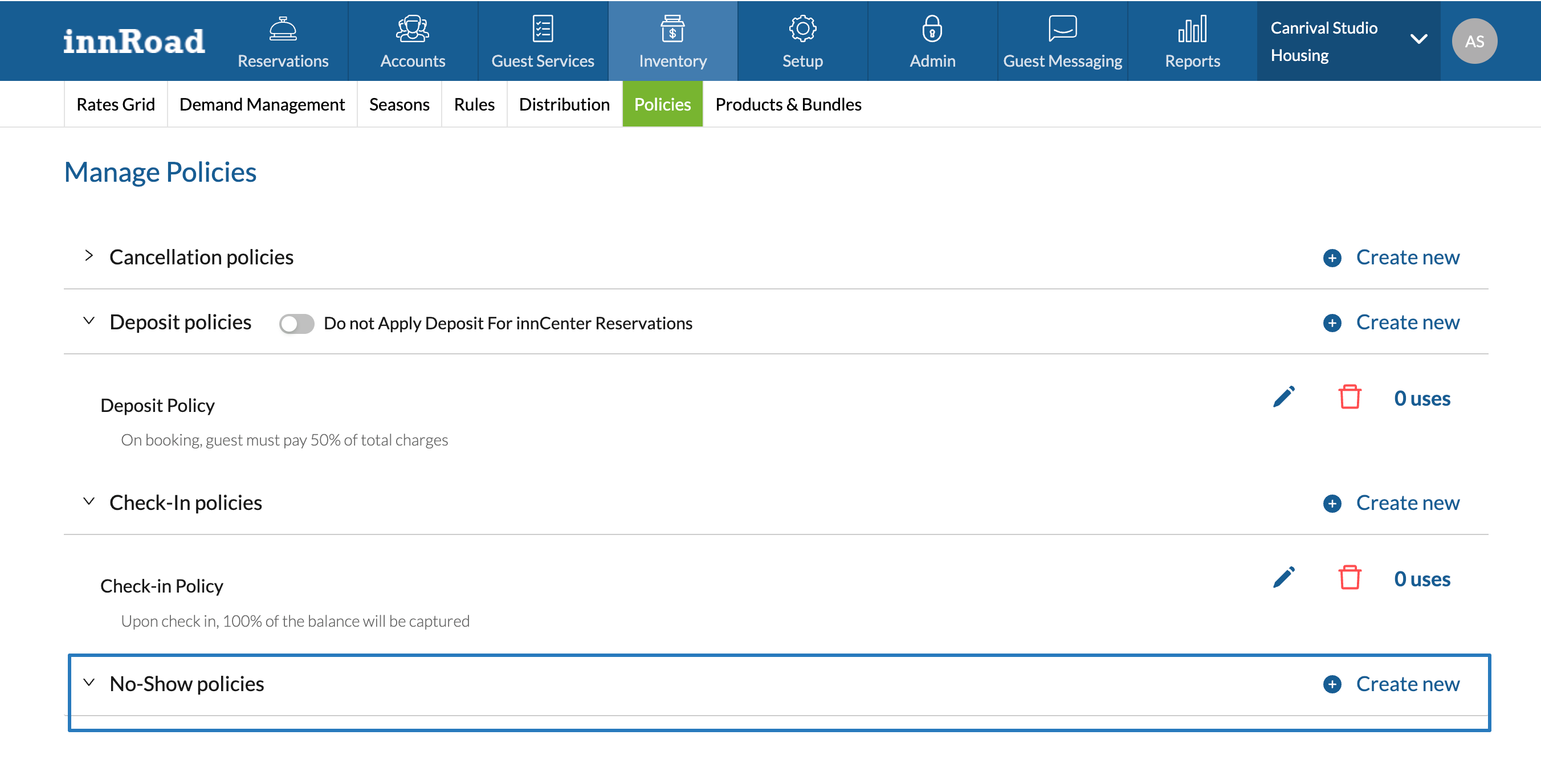
- Enter a Policy Title.
- Select Pricing type:
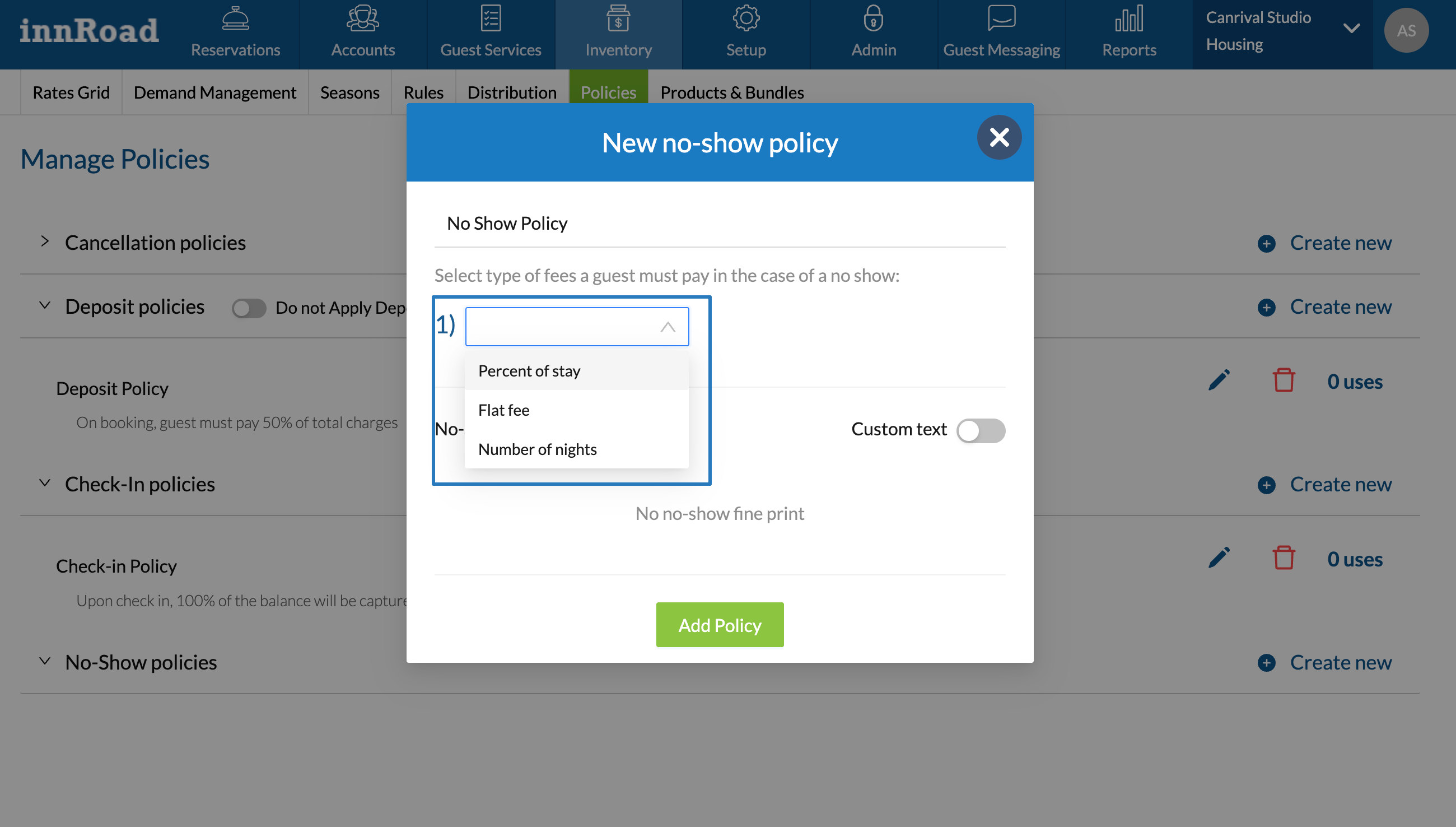
- Percent of stay calculates the amount based on total charges or room charges.
- Flat fee applies the same fixed amount as a No-Show fee.
- Number of nights uses the first N nights of the reservation to set the fee amount.
- Set the fee amount to collect.
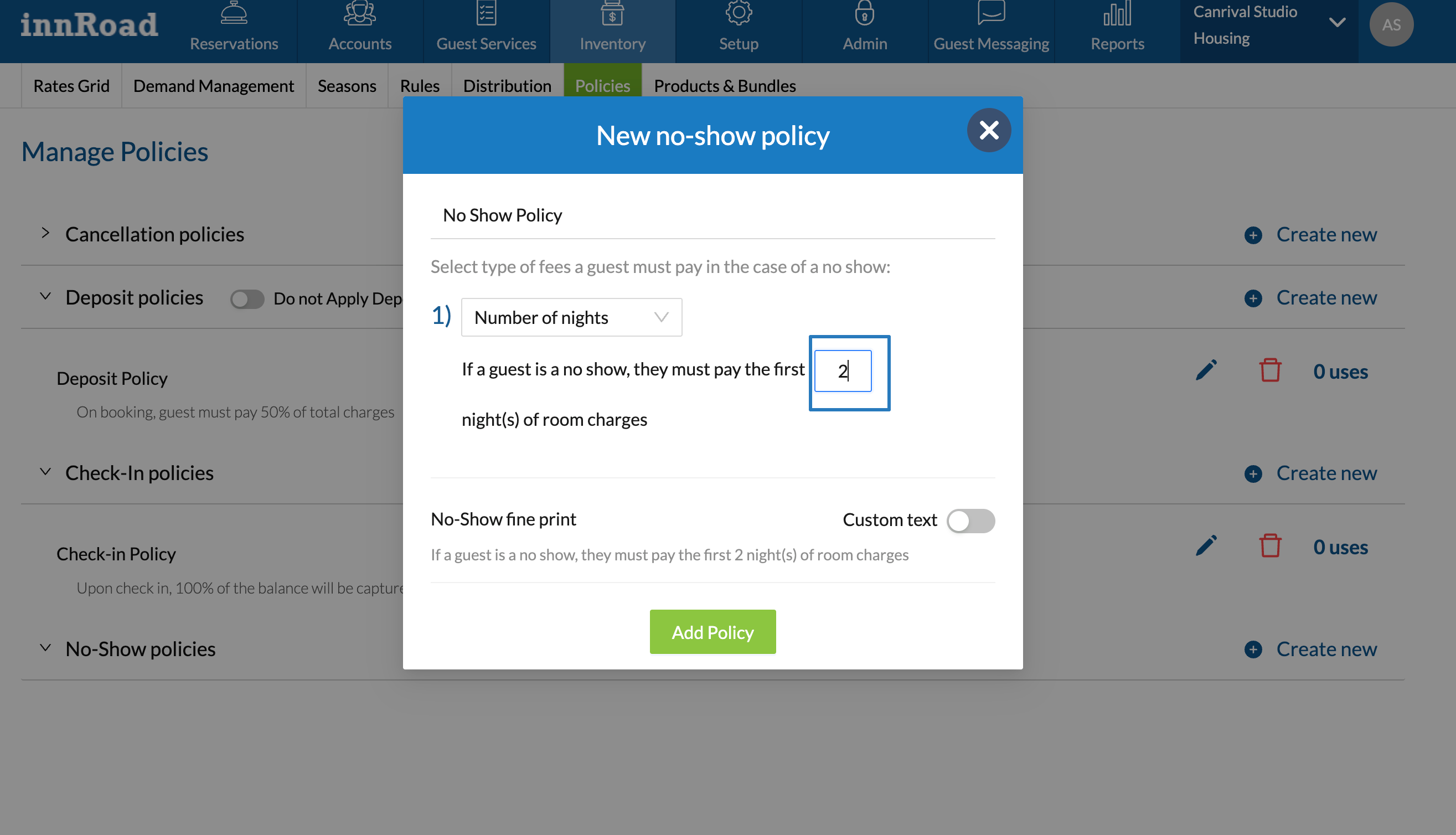
- Optionally, enable Custom Text to modify the default wording.
- Click Add Policy to save.
Was this article helpful?
That’s Great!
Thank you for your feedback
Sorry! We couldn't be helpful
Thank you for your feedback
Feedback sent
We appreciate your effort and will try to fix the article