The Reservations Dashboard in innRoad allows you to export reports based on different reservation views such as: New Reservations, Arrivals, Departures, In-House Guests or Advance Search
You can export the report as PDF, Excel, Email it or Print it.
On the Reservation Dashboard, you can export the files by clicking on Export Report
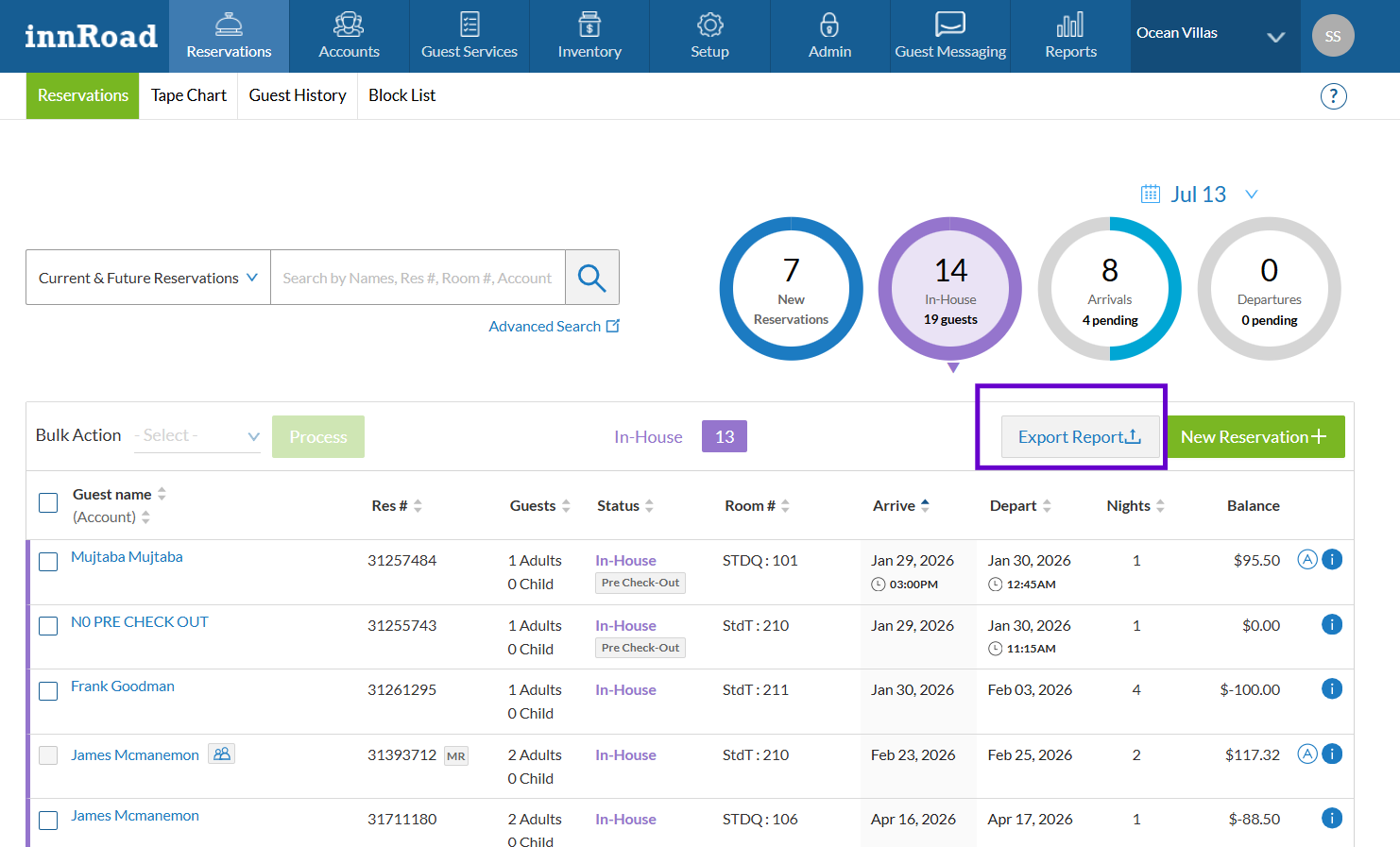
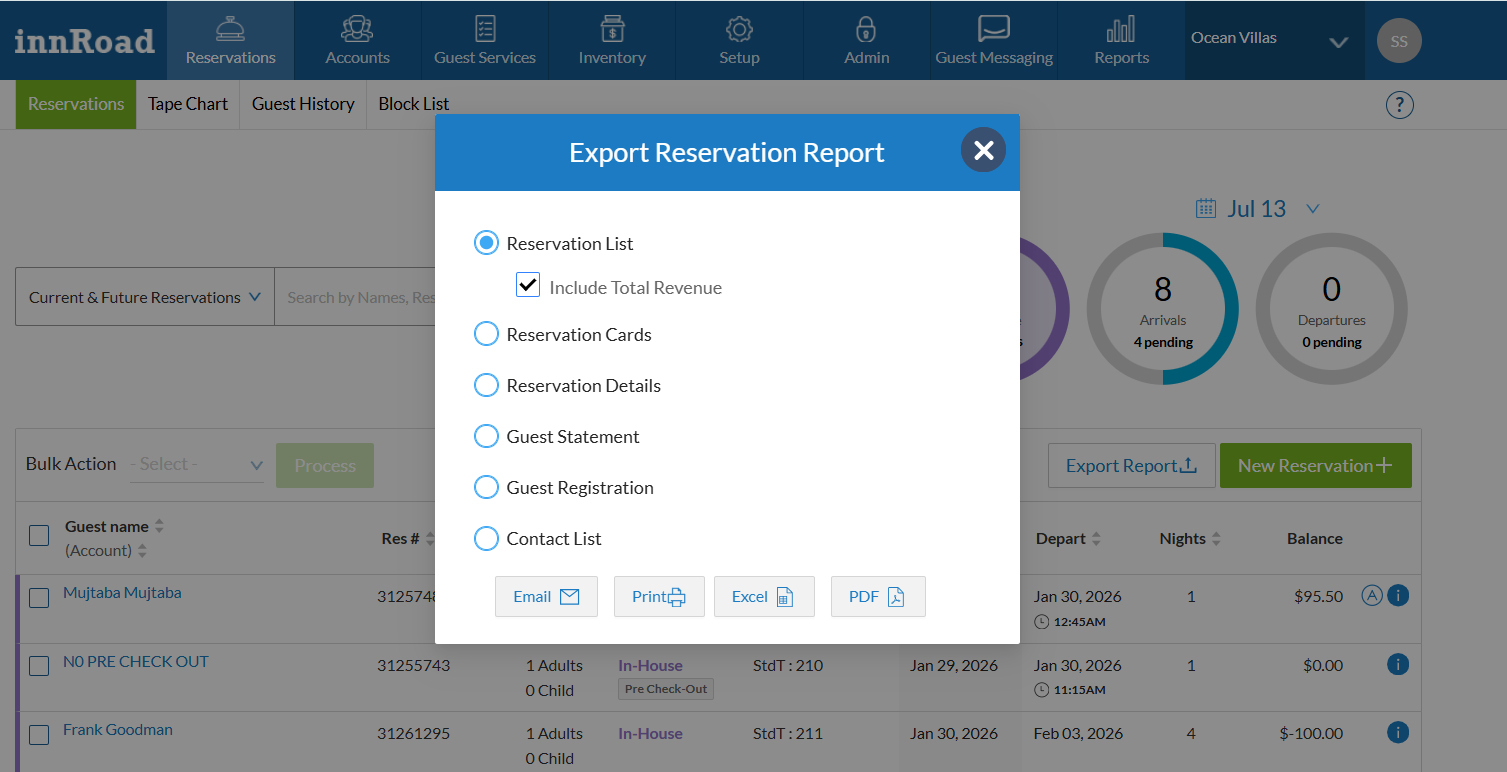
Once you select a reservation view and click on Export Report, the system provides the following report options:
Reservation Dashboard Reports – Description
| Report Type | Description / What It Does | Best Use Case |
|---|---|---|
| Reservation List (with or without revenue) | Provides a summary list of reservations including guest name, stay dates, room type, status, and optionally revenue details. | Quick overview of bookings, arrivals, departures, or revenue tracking |
| Reservation Cards | Generates individual reservation summaries (one per booking) with detailed guest and stay information in a printable format. | Front desk use, quick reference, or printing reservation details |
| Reservation Details | Offers a detailed dataset of reservations including multiple fields such as guest info, rates, payments, and stay details. | Data analysis, reporting, and exporting full reservation data to Excel |
| Guest Statement | Displays a financial summary of a guest’s stay including charges, payments, and balance due and space for signature. | Billing review, sharing statements with guests at checkout |
| Guest Registration | Produces a registration form with guest details, stay information, and space for signature with policy | Check-in process, compliance, and record keeping |
| Contact List | Exports guest contact information such as names, emails, and phone numbers. | Marketing campaigns, email communication, mailing lists |
Was this article helpful?
That’s Great!
Thank you for your feedback
Sorry! We couldn't be helpful
Thank you for your feedback
Feedback sent
We appreciate your effort and will try to fix the article