A Bundle is a set of multiple Products sold together. In other words, it's a way to Package your Products into a themed offer, or a convenient way for the guest to select multiple items at once.
You can only create a Bundle if you already have at least 1 Product.

We recommend Creating a Product first, if you haven't yet.
You can package multiple products together, for example:
- Romance Bundle
- Bottle of Wine
- Box of chocolate candy
- Flowers
- Pet Experience
- Treats
- Branded Collar
- Grooming
How to create a bundle:
- Log in to innRoad
- Select a property in the top-right corner, if you're a multi-property client.
- Go to Inventory > Products & Bundles:
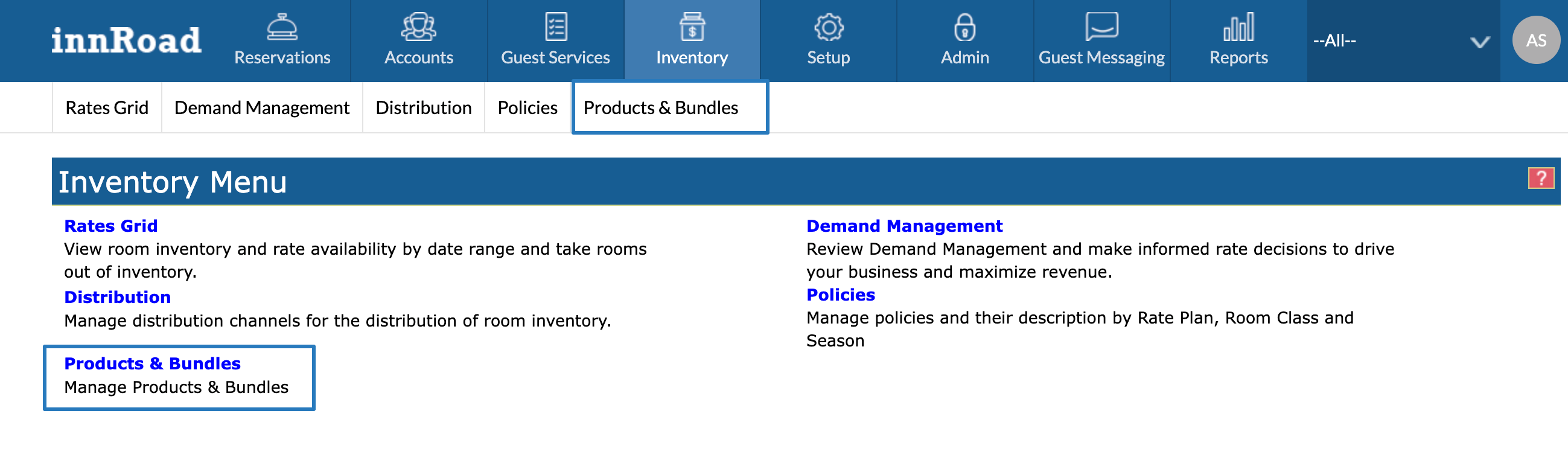
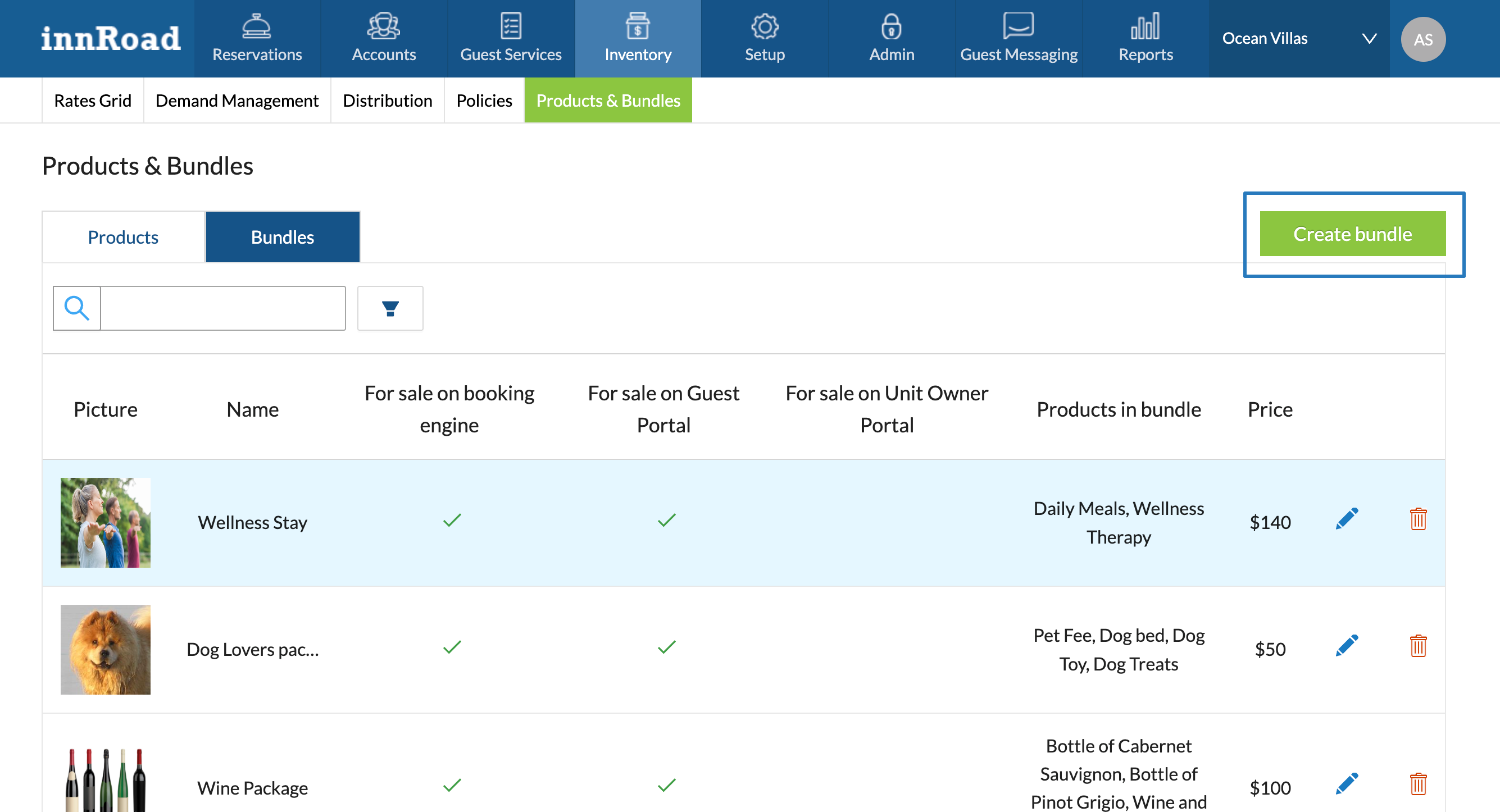
- Click Bundles in the top tabs.
- Click Add Bundle:
- Add General details about the Bundle:
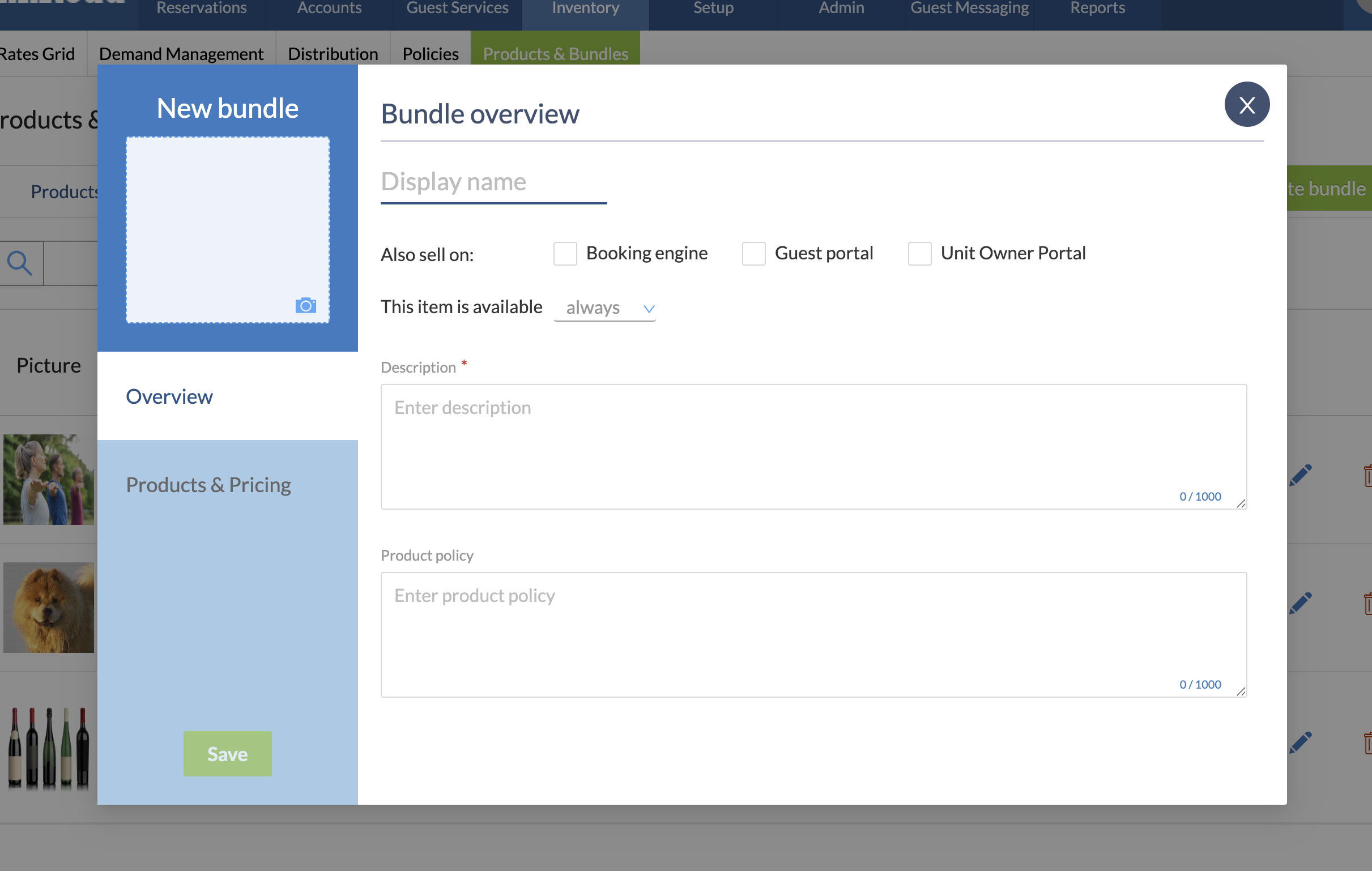
- Add a Display name
- Set whether the Bundle is always available, or only on specific dates.
- Add a Description.
- Add a photo in the top-left corner.
- Switch to Products & Pricing to select included Products.
- Select a Product to include in the Bundle.
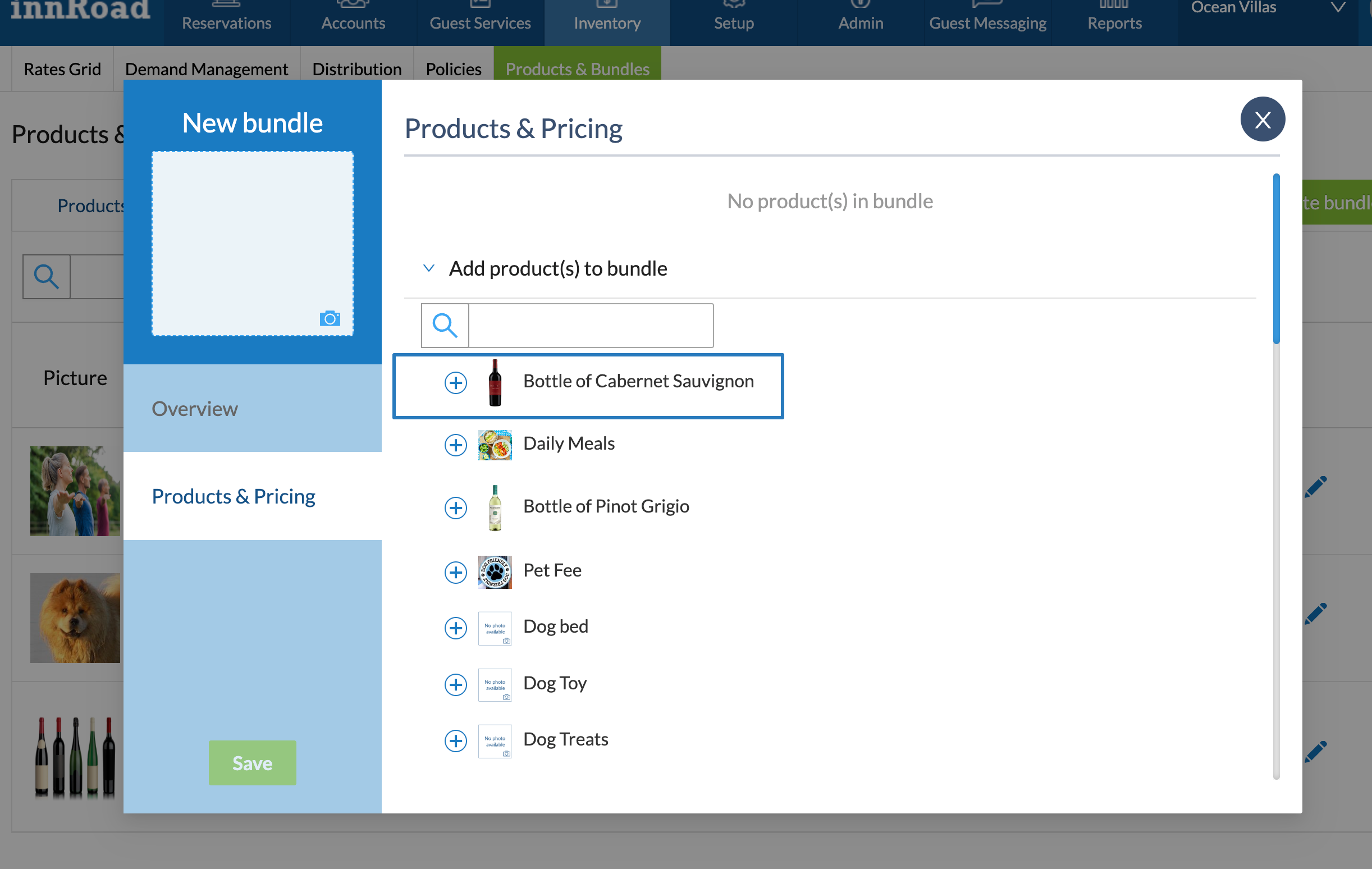
- Add other included products in the Bundle.
- Set up the Product pricing for the Bundle.
- Click Save.
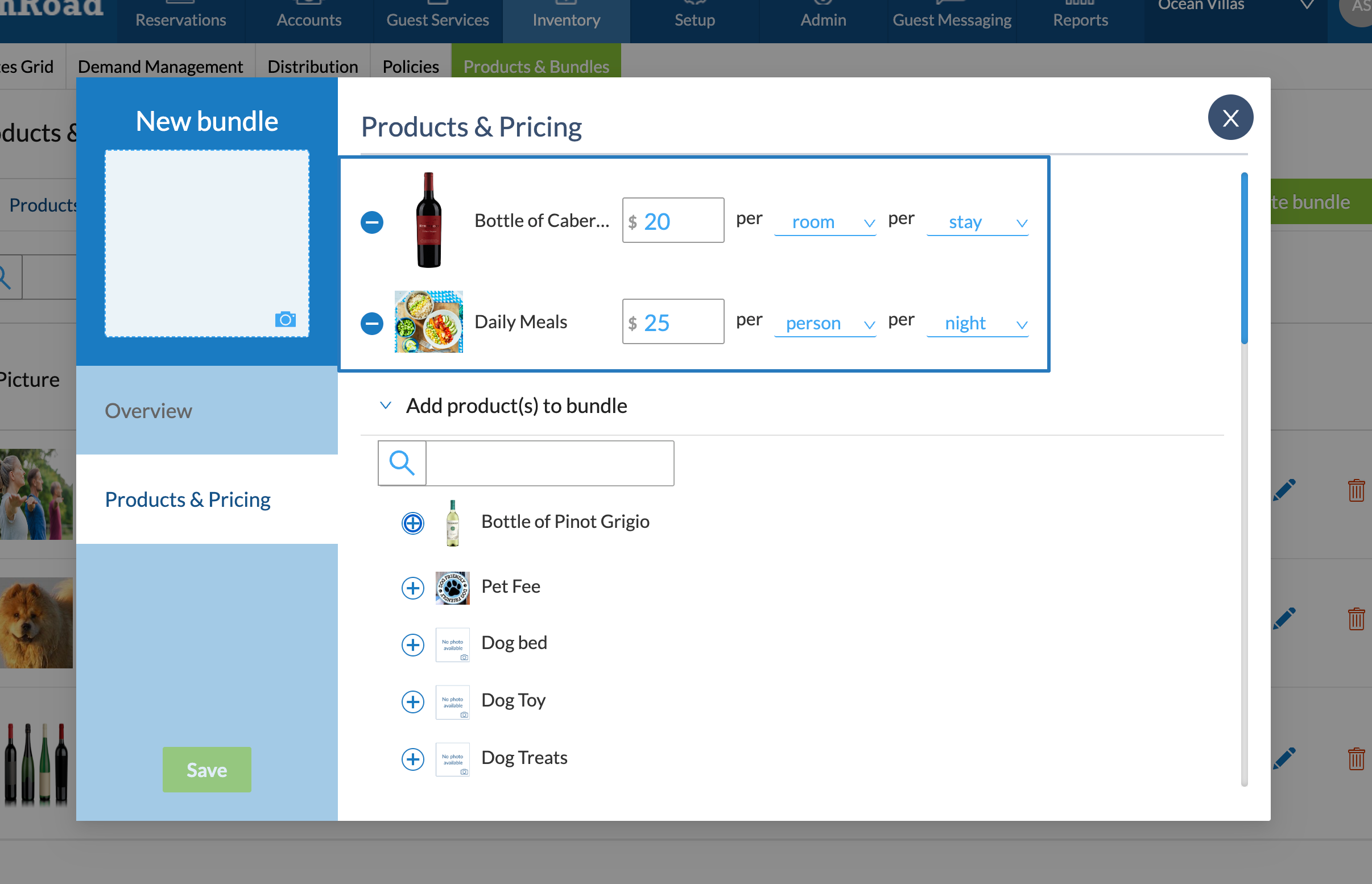
- Select a Product to include in the Bundle.
Was this article helpful?
That’s Great!
Thank you for your feedback
Sorry! We couldn't be helpful
Thank you for your feedback
Feedback sent
We appreciate your effort and will try to fix the article