The Night Audit lets you review transactions and then lock a period to prev ent further changes.
You can also Review without Locking to finish the Night Audit and post folio items without locking the period. Reviewed transactions stay fully editable, so you can still correct mistakes if they turn up later. Locking remains a separate, deliberate action you can take whenever you're ready.
This gives you a way to keep the audit moving forward as you post regularly, without hitting a lock-window cap or being forced to close the books before you're ready.
Review vs. Lock
Review and Lock are two separate actions, tracked by two separate dates. Both are shown at the top of the Night Audit screen.
- Last Review Date: Advances when you complete a review. Transactions on or before this date remain editable.
- Last Locked Date: Advances when you lock a period. Transactions on or before this date are frozen and cannot be modified.
If your property has always locked at the end of each audit, nothing changes for you. Locking still posts, freezes, and advances both dates in one step. Complete Review without Locking is optional.
Completing a review without locking
Starting the audit is unchanged. The new option appears at the final step, alongside Lock Period.
- Go to Reports > Night Audit and click Start Audit.
- On the Start the Night Audit screen, select Reviewing or Lock as the aciton:
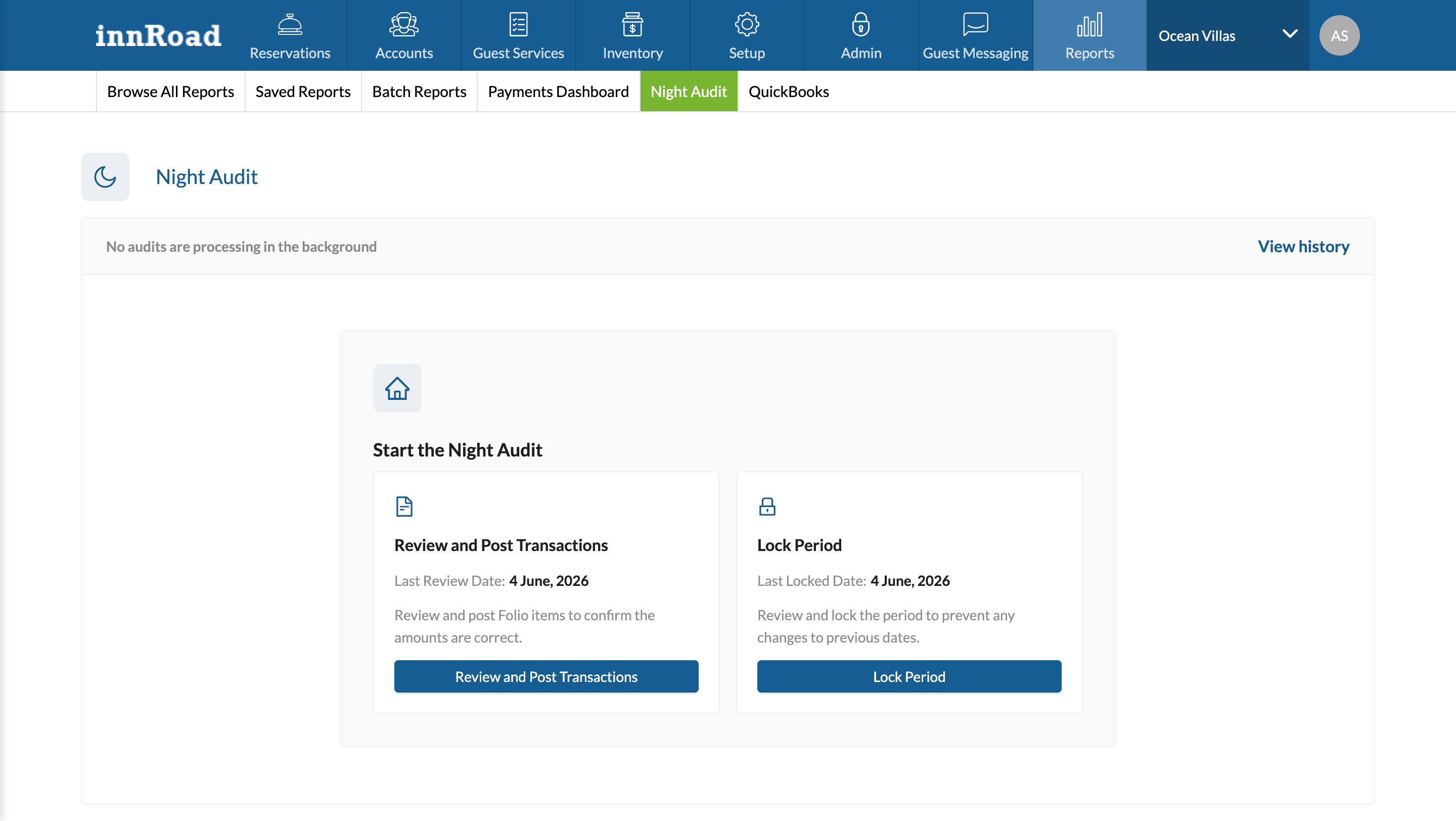
- Select a date to start the review.
- Review folio items across the Pending, Posted, and Voided tabs and correct anything that looks wrong.
- Post all pending folio items. You can post items individually or use Post All Folio Items.
- Click Continue to move to the Lock Period step.
- On the Period Summary screen, click Complete Review without Locking.
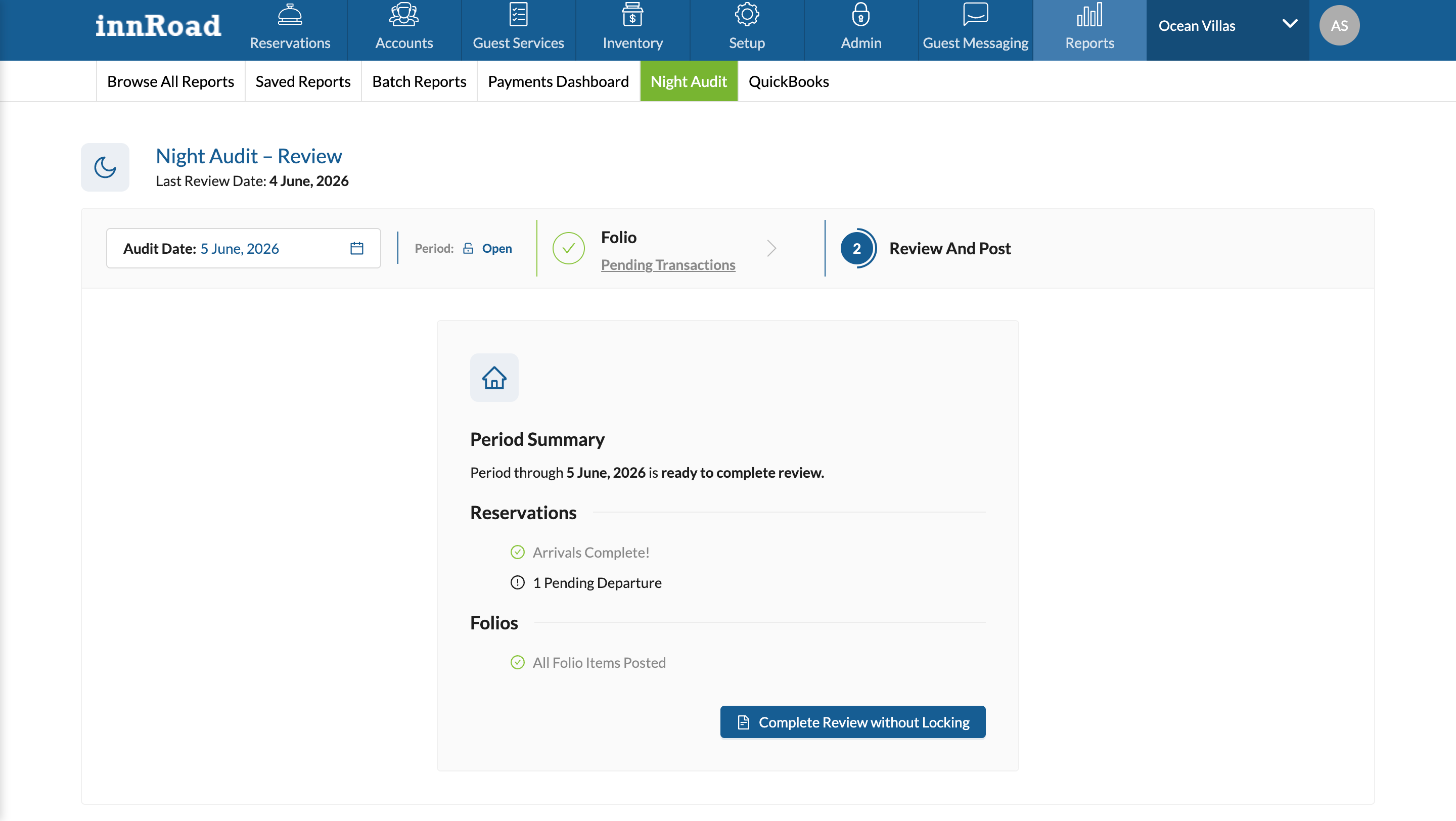
The Last Review Date advances to the date you selected. The Last Locked Date does not change.
All pending folio items in the review window must be posted before you can complete the review, same posting rule that applies when locking.
A review can only move forward. You cannot select a review end date on or before the current Last Review Date.
Editing reviewed transactions
Transactions in a reviewed-but-unlocked period are still fully editable. You can:
- Edit existing folio items
- Void folio items
- Add new folio items with effective dates inside the reviewed range
This is the key difference from locking. Once a date is locked, no further changes are possible for that date.
Long periods and background processing
When the period you're processing is large enough to run in the background, you'll be asked how to proceed. There are two options:
- Post in Background: posts all folio items across the selected span and advances the Last Review Date only. Use this if you want to post all items in a long period.
- Select an Earlier Review date: Select an earlier date to continue reviewing
Notifications and audit log
When a review is completed:
- The user who initiated the review receives an email confirmation.
- An entry is added to Night Audit History, the same as when a period is locked.
Was this article helpful?
That’s Great!
Thank you for your feedback
Sorry! We couldn't be helpful
Thank you for your feedback
Feedback sent
We appreciate your effort and will try to fix the article