Booking Engine Promo Code Links
A promo code link is a booking engine URL with your discount code already built in. When a guest clicks it, the promotional rate is applied automatically. This can help guests save time and avoid errors when entering the promo code, making it easier for them to use the discount.
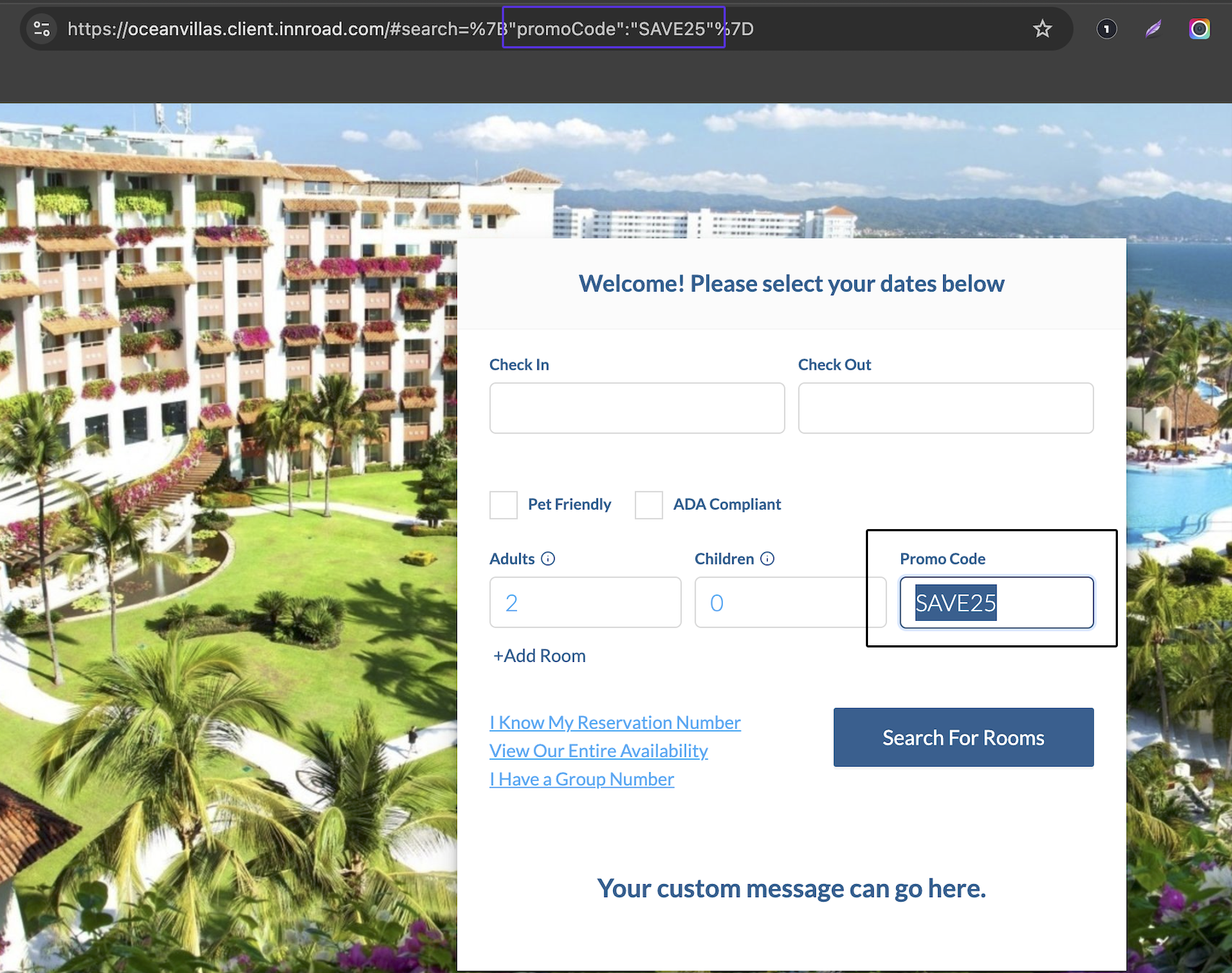
Why use a promo code link?
- Fewer abandoned bookings. Every code a guest has to remember, copy, and paste is a chance to lose them. A pre-filled link removes that step entirely.
- No mistyped codes. Guests can't enter the code wrong, use an expired one, or call your front desk asking why it isn't working.
- The discount stays where you put it. Only people who receive the link see the rate, so you can offer a special price to one audience without advertising it to everyone.
- You can tell which campaign worked. Create a separate promo rate for your newsletter, for a partner site, and for paid ads. and your reservation data shows you which one actually drove bookings.
- It works anywhere you can put a link. Email, social posts, ads, a corporate or group landing page, or a QR code on printed material.
Before you start
You'll need a rate with a Promo Code condition already set up. If you don't have one yet, see Creating Promo/Discount Rates.
How to get your promo code link
- Go to Inventory > Rates Grid.
- Find the rate that has a Promo Code condition.
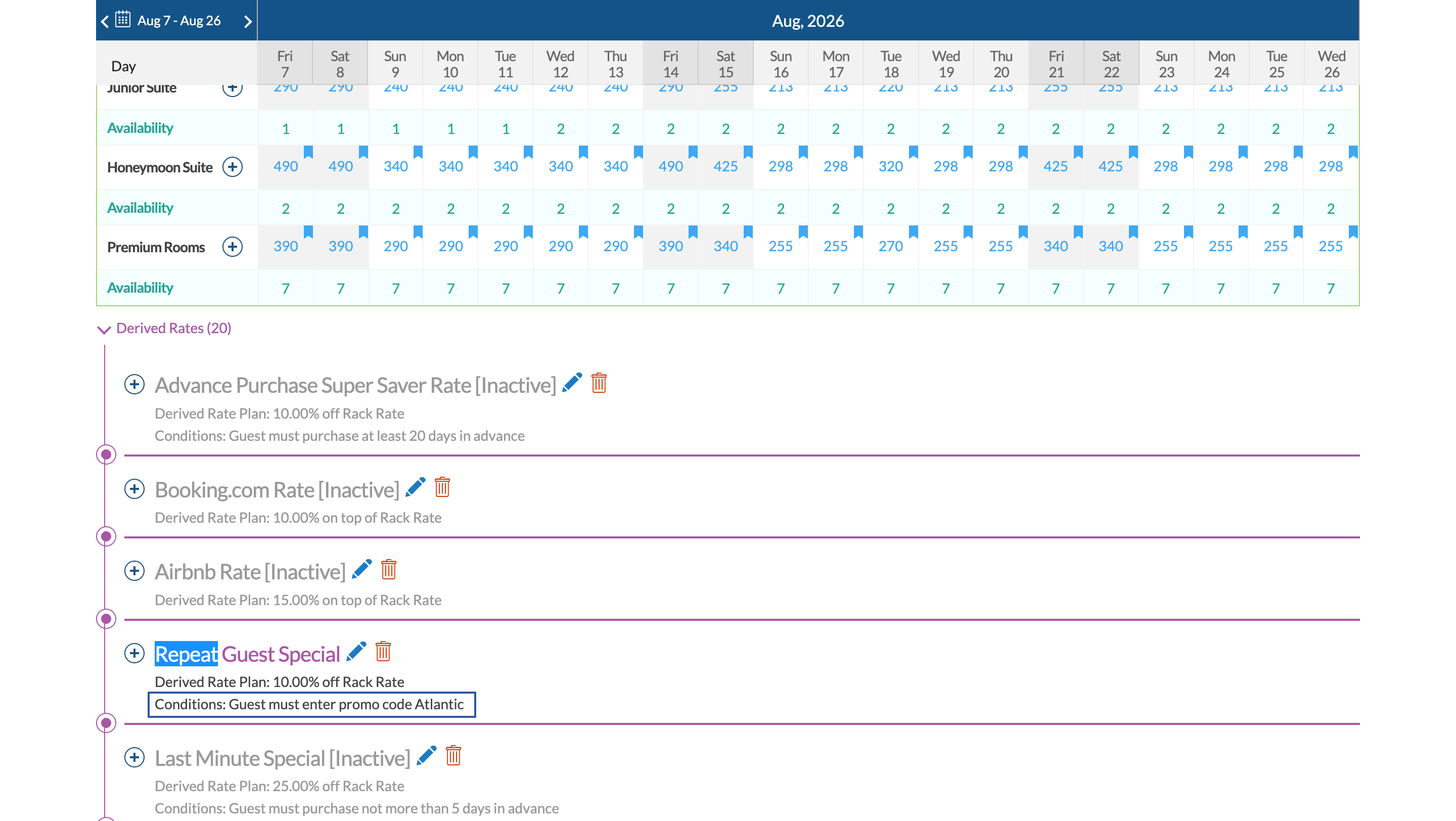
- Click the pencil icon to open the rate plan.
- Click the copy icon to copy the booking engine link to your clipboard.
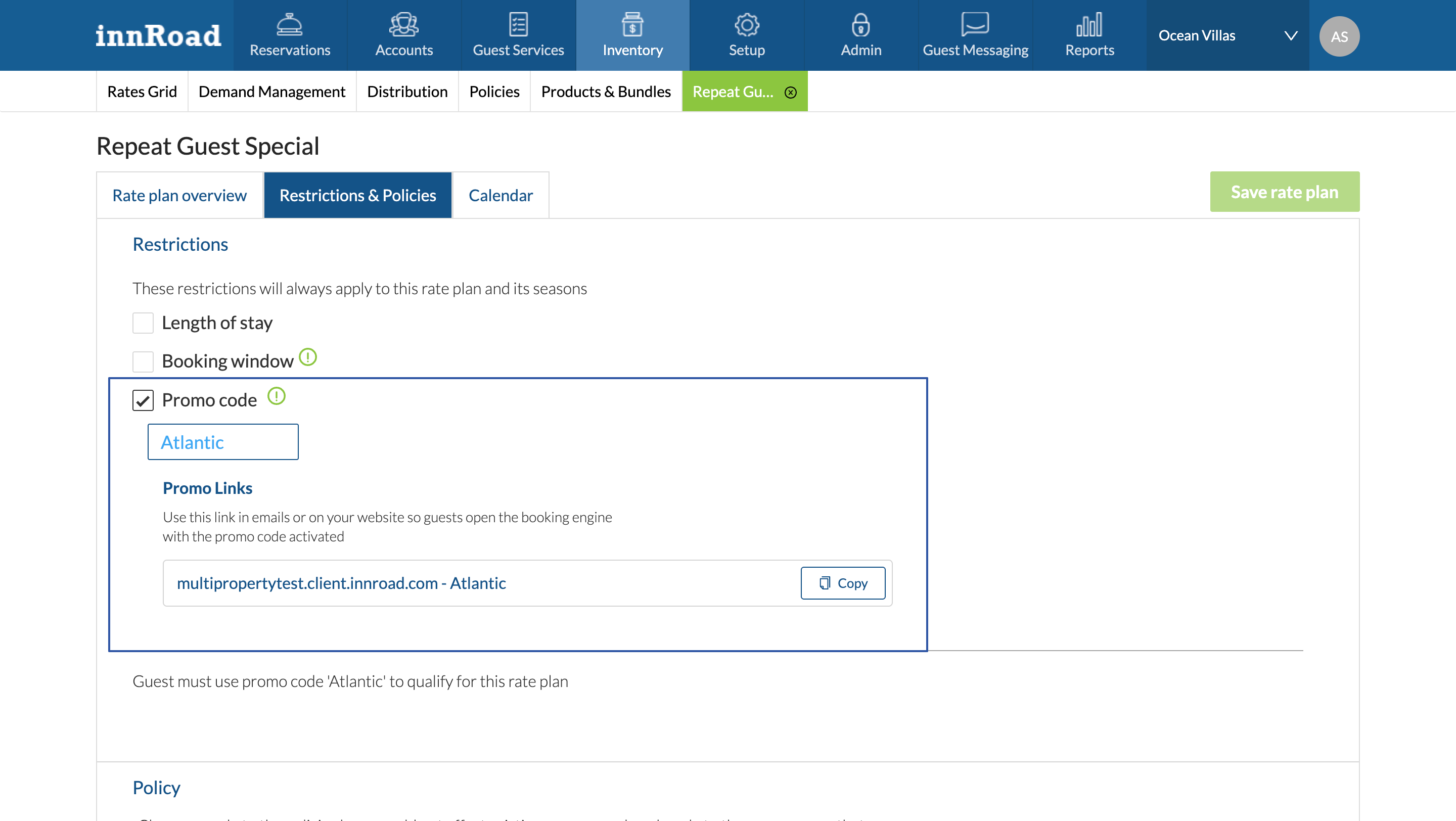
Now, paste the link into your email campaign, ad, or social post. Before you send it out, open it once yourself to confirm the discounted rate appears as expected.
Was this article helpful?
That’s Great!
Thank you for your feedback
Sorry! We couldn't be helpful
Thank you for your feedback
Feedback sent
We appreciate your effort and will try to fix the article